
Inside the Document Viewer you will see a section on the right to quickly apply certain tags to individual documents. This can be helpful for marking documents you have already reviewed, marking documents as relevant to certain issues, and more.

To set up this form, click the admin section on the left side of your screen, then click on the forms tab.
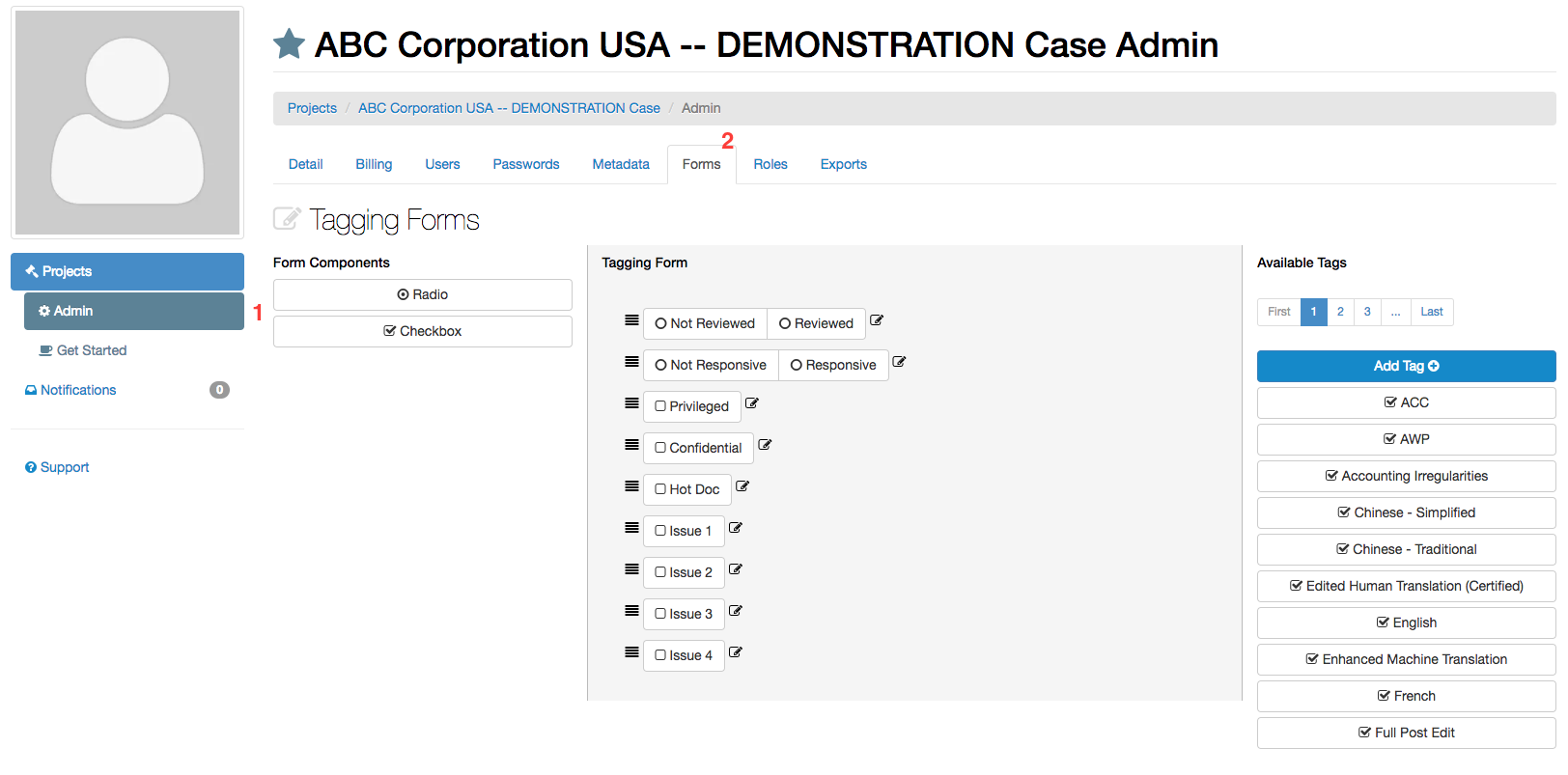
From here you can add new tags, drag tags from the right into the tag form, organize the order of the tags on the form, and edit existing tags.
As of 2-14-18 Tagging Forms can be customized on a role by role basis. Select the role whose tagging form you would like to edit from the drop down menu:
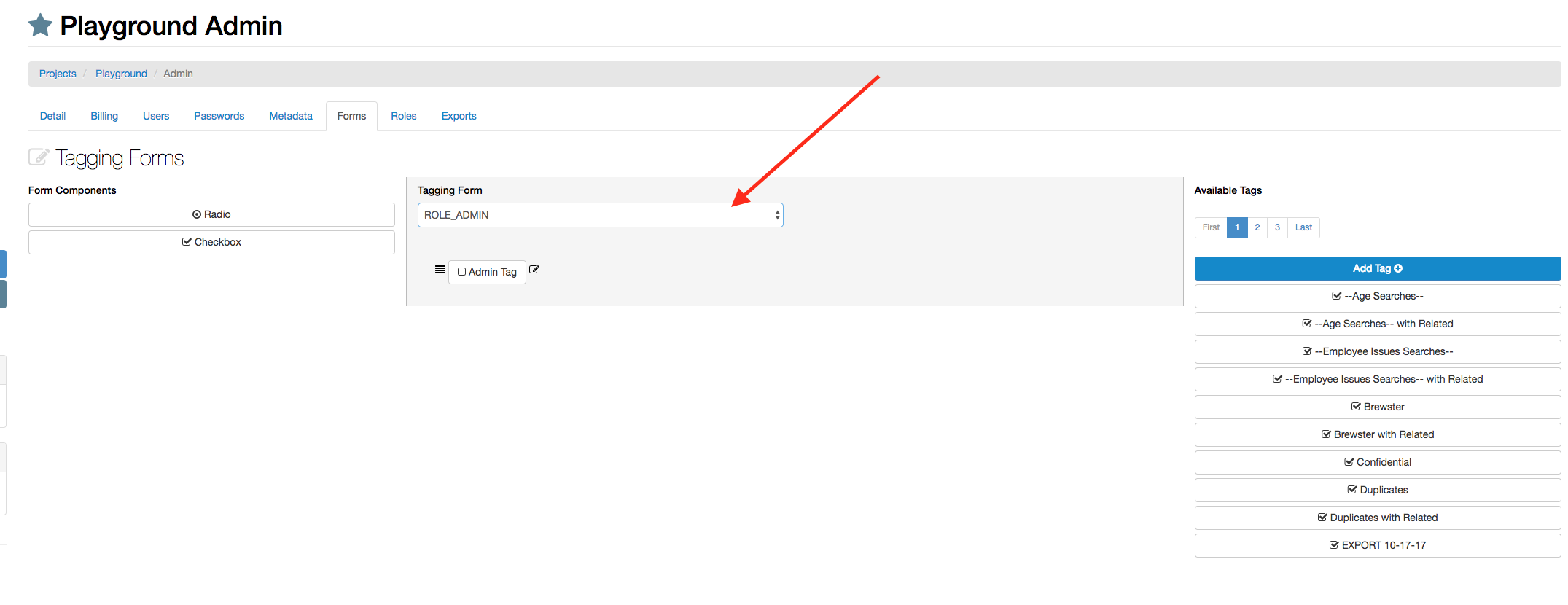
Any user with that role will see the corresponding tagging form when reviewing documents.
Comments
0 comments
Please sign in to leave a comment.